
Active Directory Microsoft Microsoft Entra Troubleshooting Windows Windows 10 Windows 11 Windows 11 Tips

How to Recover or Create a New Microsoft Account on the Same Laptop

 Forgetting your Microsoft account details can be frustrating, especially if you’ve entered the wrong password multiple times and are now blocked. If you’re locked out of your Microsoft account and need a way to either recover it or create a new one, this guide will help you step by step. Why Is Your Microsoft Account […]
Troubleshooting Windows 11 Tips

Drag and Drop Not Working on Windows 11 Taskbar (24H2)

 Windows 11 introduced several UI changes, including modifications to how drag and drop works on the taskbar. While Microsoft reinstated some drag-and-drop functionality in previous updates, many users have reported that it is no longer working in the latest Windows 11 24H2 update. If you’re facing this issue, here’s a detailed step-by-step troubleshooting guide to

Microsoft Troubleshooting Windows Windows 10 Windows 11 Windows 11 Tips WIndows 7 Windows 8 Windows 8.1

Why Is My Desktop Internet Speed Inconsistent? (Simple Fixes)

 If you’re noticing inconsistent internet speeds on your desktop while your laptop maintains a steady connection, you’re not alone. Many users experience fluctuating speeds, where some days the download speed is high (e.g., 100 Mbps) and other days it drops significantly (e.g., 4 Mbps). Meanwhile, your laptop might consistently get 40 Mbps. So, what’s going

Active Directory LAPS Windows Server

How to Install and Configure Microsoft LAPS (Local Administrator Password Solution)

  πŸ“Œ Introduction Microsoft Local Administrator Password Solution (LAPS) is a free tool that enhances security by automatically managing local administrator passwords on domain-joined computers. This guide will walk you through the installation and configuration of LAPS in a step-by-step manner. πŸ” Prerequisites Before you begin, ensure you have the following: βœ… Active Directory configured

Troubleshooting Windows 11 Tips

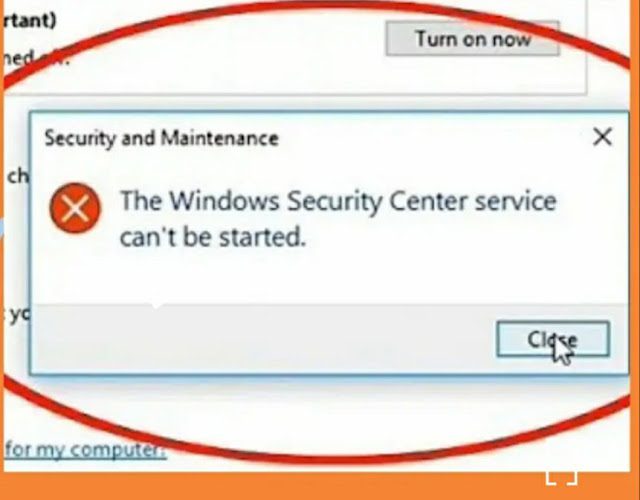
How to Fix “Windows Security Center Service Can’t Be Started” Error

  If you’re seeing the ❌ “Windows Security Center service can’t be started”, it means your πŸ’» system can’t activate the πŸ›‘οΈ Security Center service, which πŸ“Š monitors and reports πŸ” settings. This can leave your PC πŸ›‘ vulnerable to threats, so fixing it should be a πŸ” priority. ❓ Causes of the Issue Some

Scroll to Top
×